
Restriction options
The following restriction types are supported for messages:
-
Applications
-
Network
-
Directory service - Objects
-
Directory service - Attributes
Every restriction type has a tab within the message dialog. These tabs are collapsed by default and can be made visible by clicking on the + button.
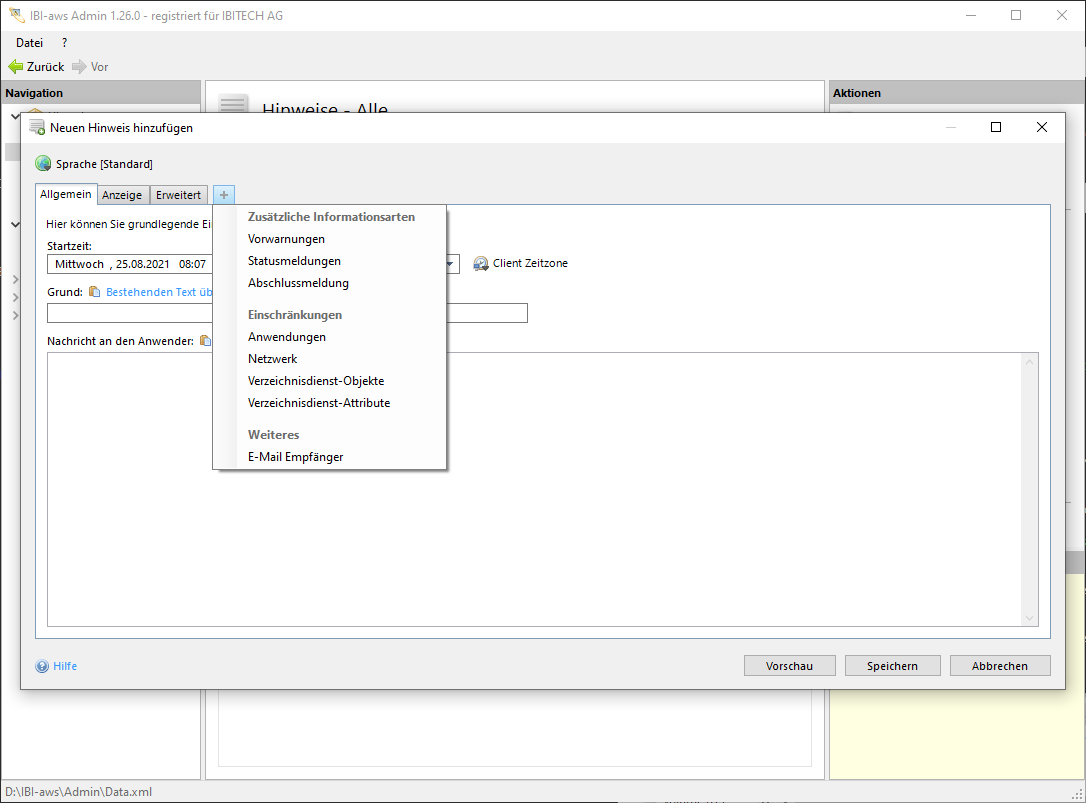
Relationship between restriction types
Restrictions will be processed according to the following rule: A message will be displayed only if at least one match is found for each restriction type. That means, restrictions of the same type have an OR-relation. Restrictions of different types have an AND-releation.
Example
Message
|
Applications |
Network |
Directory service objects |
Directory service attributes |
|---|---|---|---|
|
notepad.exe |
|
[User] Admin |
|
|
calc.exe |
|
[Group] Marketing |
|
Explanation
The defined message should only be displayed if notepad.exe and/or calc.exe are executed AND the user is User-Admin and/or the logged in user is member of the Marketing group.
Client I
|
Applications |
notepad.exe |
explorer.exe |
|---|---|---|
|
Network |
192.168.1.10 |
|
|
Directory service objects |
[User] User-1 |
[Group] Developer |
|
Directory service attributes |
|
|
Result
Message will NOT be displayed.
Explanation
Client I executes notepad.exe. However there is no matching directory service object. Therefore the message will not be display.
Client II
|
Applications |
calc.exe |
iexplore.exe |
|---|---|---|
|
Network |
192.168.1.12 |
192.168.10.12 |
|
Directory service objects |
[User] Benutzer-0 |
[Group] Marketing |
|
Directory service attributes |
Attribute-1 |
|
Result
Message will be displayed.
Explanation
Client II executes calc.exe and the logged in user is member of the Marketing group.