Description
The IBI-aws Admin is stored on a central share and started from there.
What is required?
System requirements
To be able to use IBI-aws, the system requirements must be observed.
Central Share
A central share is required, that is accessible to all IBI-aws Admin users. This share must be able to handle continuous queries made by the users.
IBI-aws installation package
The installation package (Zip archive) contains a "Ready to use" folder structure. The latest version can be downloaded in the IBI-aws customer area. A conventional installation via setup is not required.
Procedure
Prepare central share
The UNC-path of the <Installation Location> could look like this:
\\SERVER\IBI-aws$\
Unpack installation package
Unpack the installation package, which contains the "Ready to use" folder structure, at any place on the central share (<Installation Location>).
Warning
Please observe the information about Windows security
Store application data on the central file share
When using a single tenant
-
Copy the
Admindirectory from the installation package to the central file share
When using multiple tenants
-
Copy the
Admindirectory from the installation package to the central file share -
A subdirectory (e.g.
tenant 1,tenant 2, etc.) is created for each tenant. The name of the directories can be freely chosen -
Then the file Data.xml located in the
Admindirectory is copied into each tenant directory -
The file Data.xml in the
Admindirectory is no longer needed and can be deleted -
If required, the license files as well as the resources directory can be stored in the tenant directory
-
Open the file
IBI.aws.Admin.exe.configwith a text editor of your choice and activate the following property:Activate MultiTenantMode
XML<add key="MultiTenantMode" value="true" />
Assign permissions on the central share
Make sure that the following permissions are assigned.
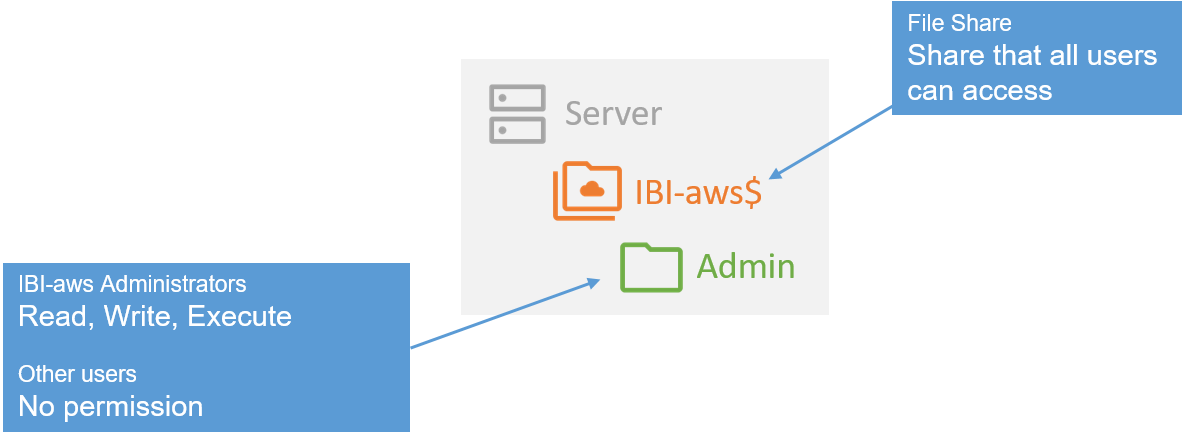
When using a single tenant
|
Directory |
Permission |
Description |
|---|---|---|
|
Admin |
|
Assigned for all users who have to use the IBI-aws Admin to create messages |
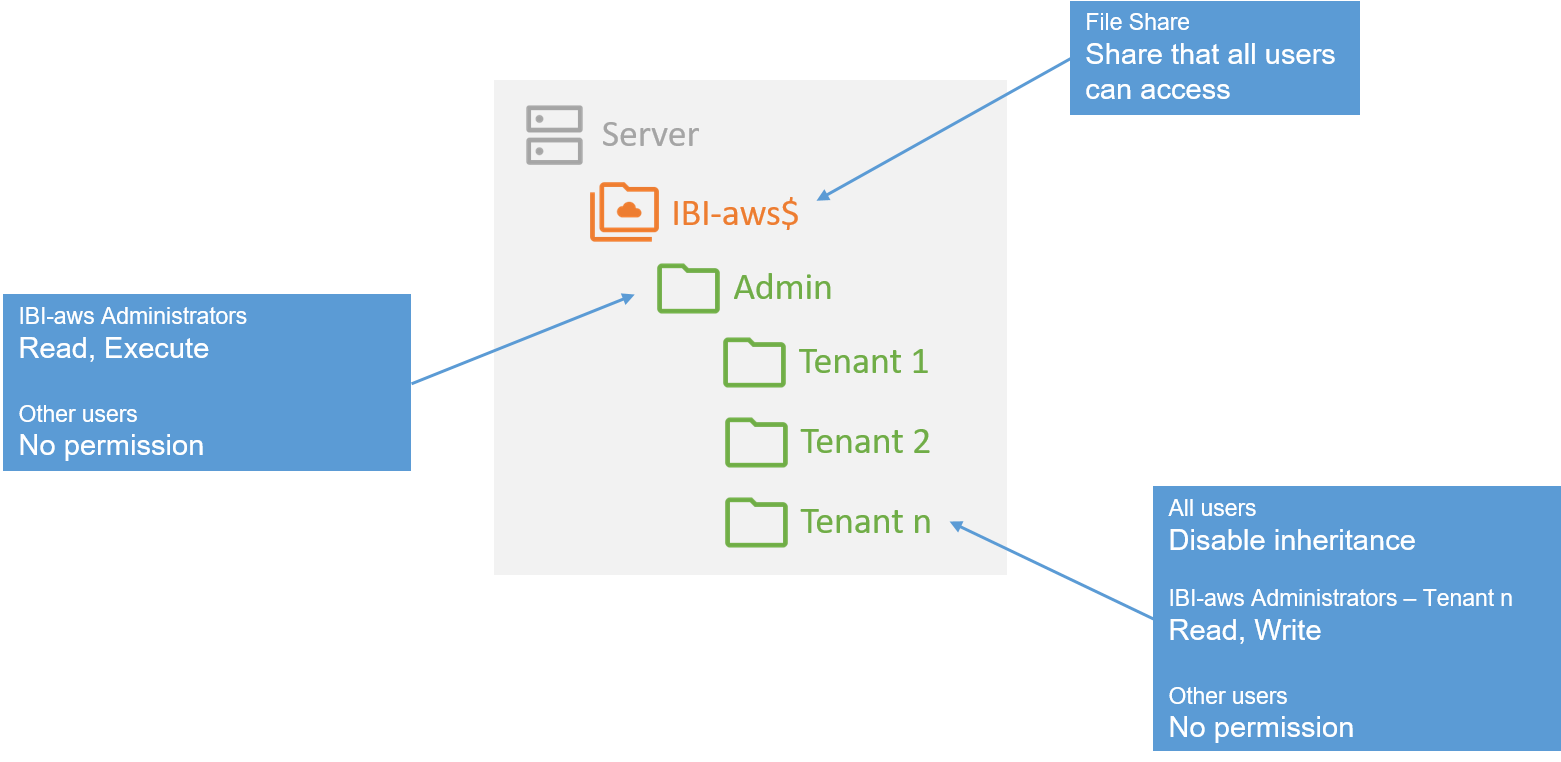
When using multiple tenants
|
Directory |
Permission |
Description |
|---|---|---|
|
Admin |
|
Assigned for all users who have to use the IBI-aws Admin to create messages |
|
Tenant n |
|
This directory (the name can be freely chosen) contains the data of a tenant, i.e. only users who are allowed to manage messages for this tenant may have access here. Therefore it is important that the inheritance of the permissions for this directory is deactivated. |